
A little ferry for your photo collection
From ZIPs.
To your Photos.
Bring photos and videos from ZIPs and folders into a named album. Keep the original files. Pick up where you paused.
For iPhone & iPad · iOS 17 or later
App Store release in preparation
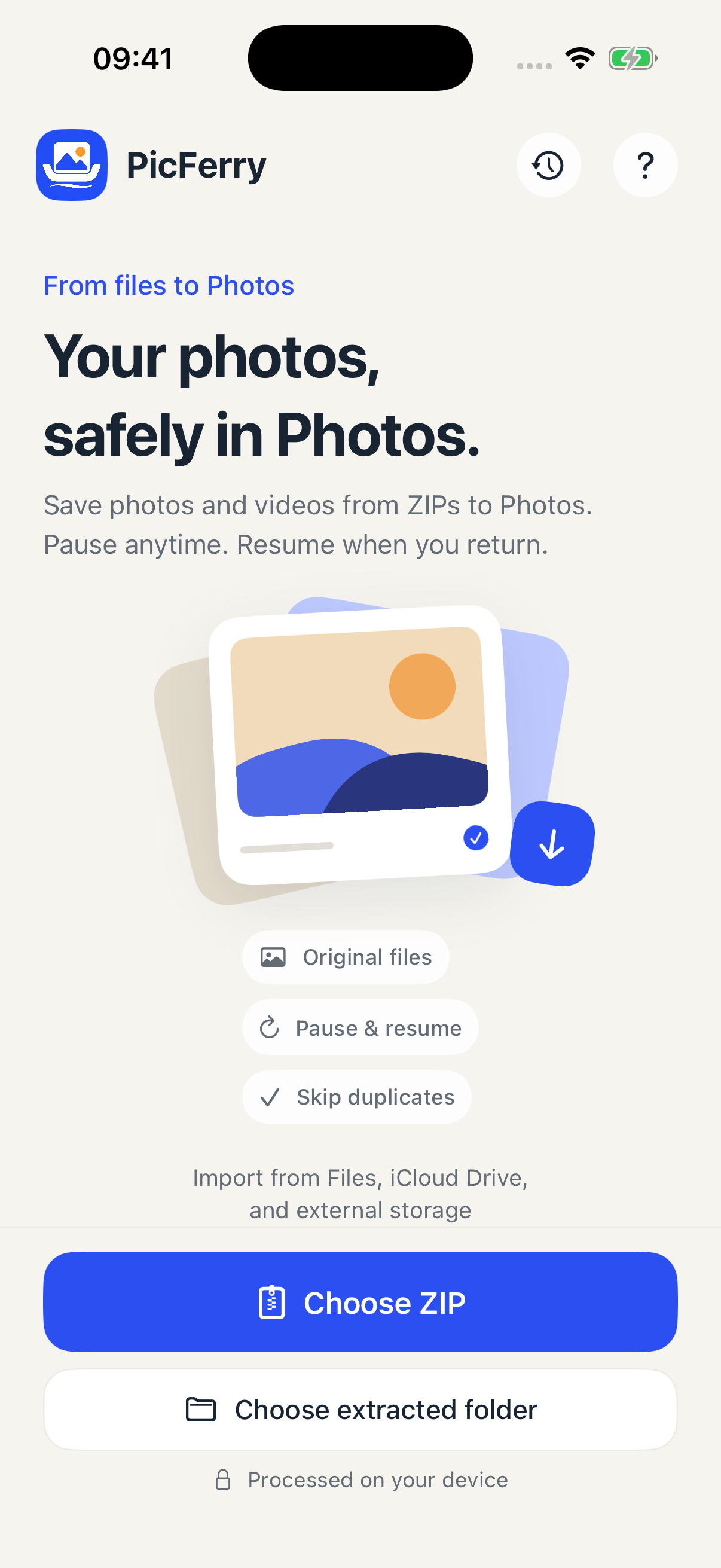
A straightforward crossing
Your collection.
Three small steps.
Start with files you already have. PicFerry keeps your source ZIP or folder in place.
- 01
Choose your files
Select a ZIP archive or an extracted folder in Files. Cloud sources may need to download first.
- 02
Name the destination
Review the media count and choose a name for the Photos album before you start.
- 03
Bring them into Photos
Allow Photos access and keep PicFerry open. Photos decides which formats and codecs it can save.
Clarity, all the way through
Every file
has a result.
Follow the batch and the current file. Pause when you need to, resume later, or retry only the files that did not save.
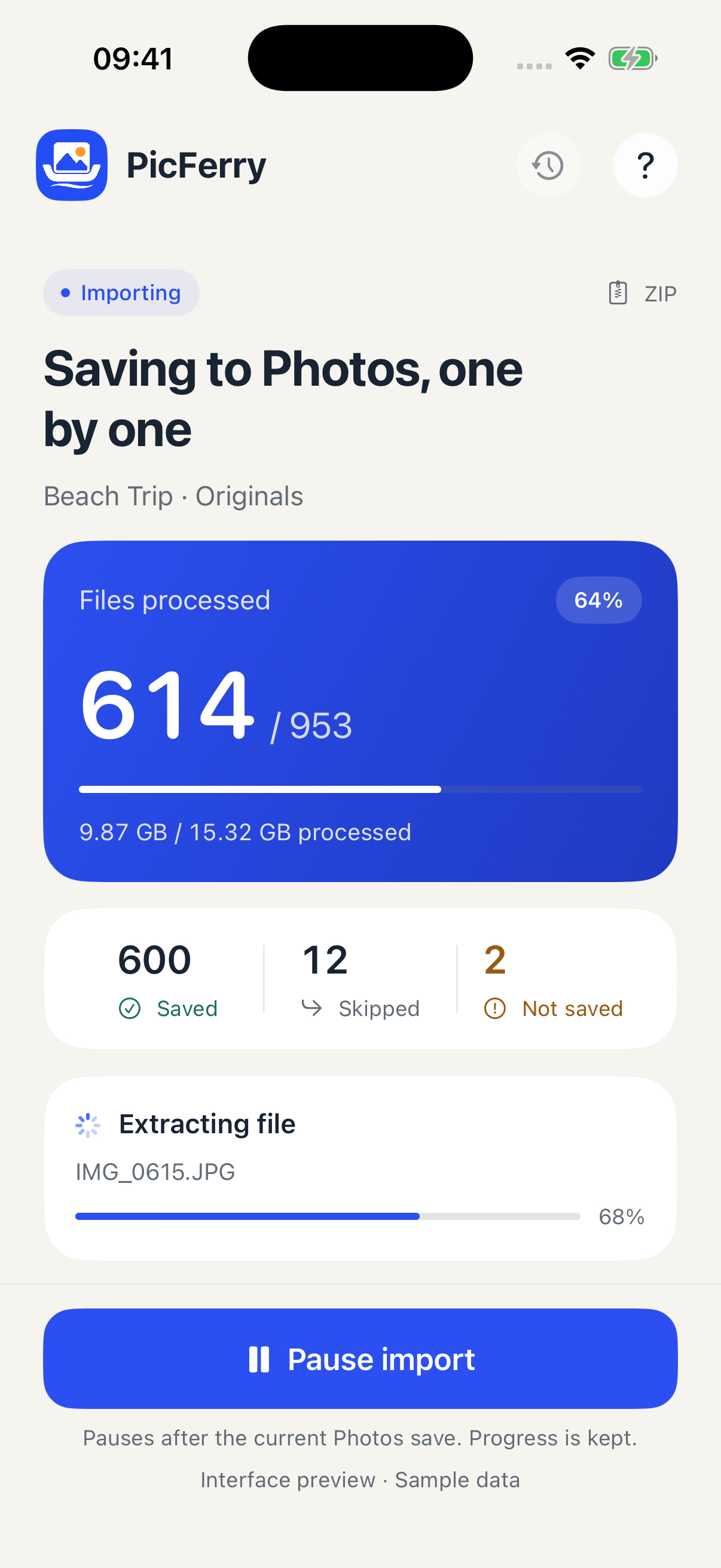
Know what’s saved.
Clear counters, current file and pause control. This screen uses labelled sample data, not a speed benchmark.
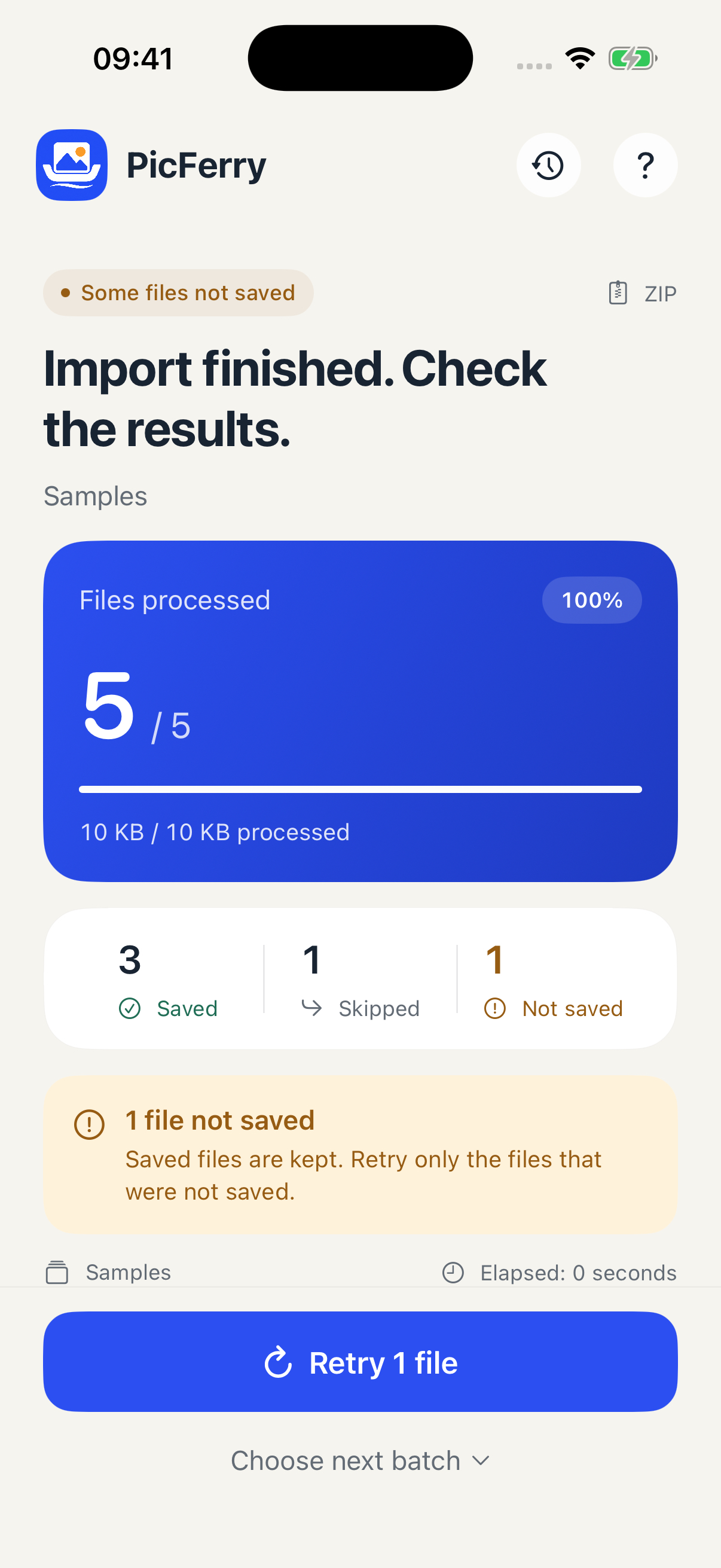
Keep the outcome clear.
Inspect individual results and retry failed files. Shown here: an actual import of synthetic test media.
Your files, your device
No PicFerry account.
No media uploads.
PicFerry processes the files you select on your device, without advertising or analytics tracking. Import records stay local to help resume progress and recognize previously imported files.
Your cloud file provider may download source files, and iCloud Photos can sync saved media according to your system settings.
Read the privacy policyBefore you bring everything over
A few useful
details.
Are the original files preserved?
PicFerry saves media without re-encoding it and keeps the source ZIP or folder. Readable capture dates are used when available. Format compatibility is determined by iOS Photos.
What does duplicate detection cover?
Files previously recorded by PicFerry. It does not scan your entire Photos library to find duplicates.
Why does it need Full Access to Photos?
To create destination albums, save the selected media and check saved asset identifiers when recovering an import. You can manage access in Settings.
What should I know about large imports?
Keep the app open, keep source files in their original location and leave room for the Photos copies plus one temporary file. An interrupted file starts again when resumed; completed files stay recorded. Encrypted or split ZIP, RAR and 7z are unsupported. Live Photo pairs are not automatically assembled.
PicFerry · 从文件到相册
把照片与视频,
送进系统相册。
选择 ZIP、ZIP64 或已解压文件夹,核对数量、命名相册后开始导入。原文件保存,不主动压缩或转码;可读拍摄日期在可用时保留。
查看每个文件的结果,暂停后继续,单独重试失败文件。重复识别覆盖 PicFerry 的导入记录,不扫描整个照片库。素材在本机处理,iCloud 照片与云文件下载由系统和服务商设置决定。